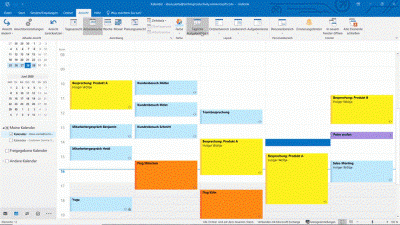
Outlook not only manages your emails, but also your calendar, tasks and contacts, and allows you to easily schedule meetings and share folders (e.g. for shared access to emails and calendars).
Do your employees use Outlook every day, have they taught themselves how to use it and would now like to discover what other functions Outlook has to offer and how they can work with it even faster, more easily and more clearly?
In this course package, Holger Wöltje, author of the bestseller „Time Management with Outlook,“ will show you which functions the various parts of Outlook offer, how to use the tasks function, how to organise your daily work with calendar and email more efficiently with the most important tips & tricks, how to customise views (e.g., to see only tasks for a project or the current month) and how to control search in more detail. You will also learn how to work with meeting requests and responses, and how to share and open email folders and calendars with different read/write permissions (e.g., for holiday cover and collaboration).
Outlook Basics Course
Use Outlook daily for your emails, have taught themselves how to use it and now want to discover what else the program has to offer and how you can simplify the organisation of your work with it?
In this introductory course, you will learn:
- die Most important tips & tricks for daily work with Outlook, to
- clearer in the calendar and your Inbox to work,
- die Contacts and email address books to use,
- Categories as keywords and colours for visual orientation to use and
- one A simple introduction to Outlook tasks for clear planning (directly under your calendar).
Outlook advanced course
Building on the introductory course, Holger Wöltje, author of the bestseller „Time Management with Outlook“, will show you in this Advanced course Further details for working with tasks and personalised views, as well as further tips & tricks for your calendar and email management. Among other things, you will discover how to:
- die Calendar options to your requirements Adjust and the Taming alarms,
- Process your emails effectivelyand to Follow-up to file in tasks (with additional notes if necessary),
- these and otherwise generated Allocate tasks to projects and your tasks clearly, e.g. Show by projects,
- die Views according to your own requirements Adjust, based on specific criteria/time periods filter and
- die Configure the such function in detail This topic is asked by most people in every Outlook seminar and has so far been missing from the daily work of most users.
Outlook: Meeting Scheduling and Folder Sharing
(Deepening teamwork)
Building on the foundation course, this will show you Advanced course on meeting planning and folder sharing, as you:
- with Meeting requests and replies work,
- for your appointment suggestions free times in your colleagues' calendars find,
- Your calendar share with different read/write permissions for specific individualsn (e.g. for collaboration and Holiday cover),
- your Inbox and specifically certain Email folders for other people Release,
- more effective in shared mailboxes (Batch addresses for multiple people) work and the Processing status clear overview of individual messages for the other people in the team visualise.