simple. more productive. digital - with Outlook, OneNote, Office 365 and SharePoint

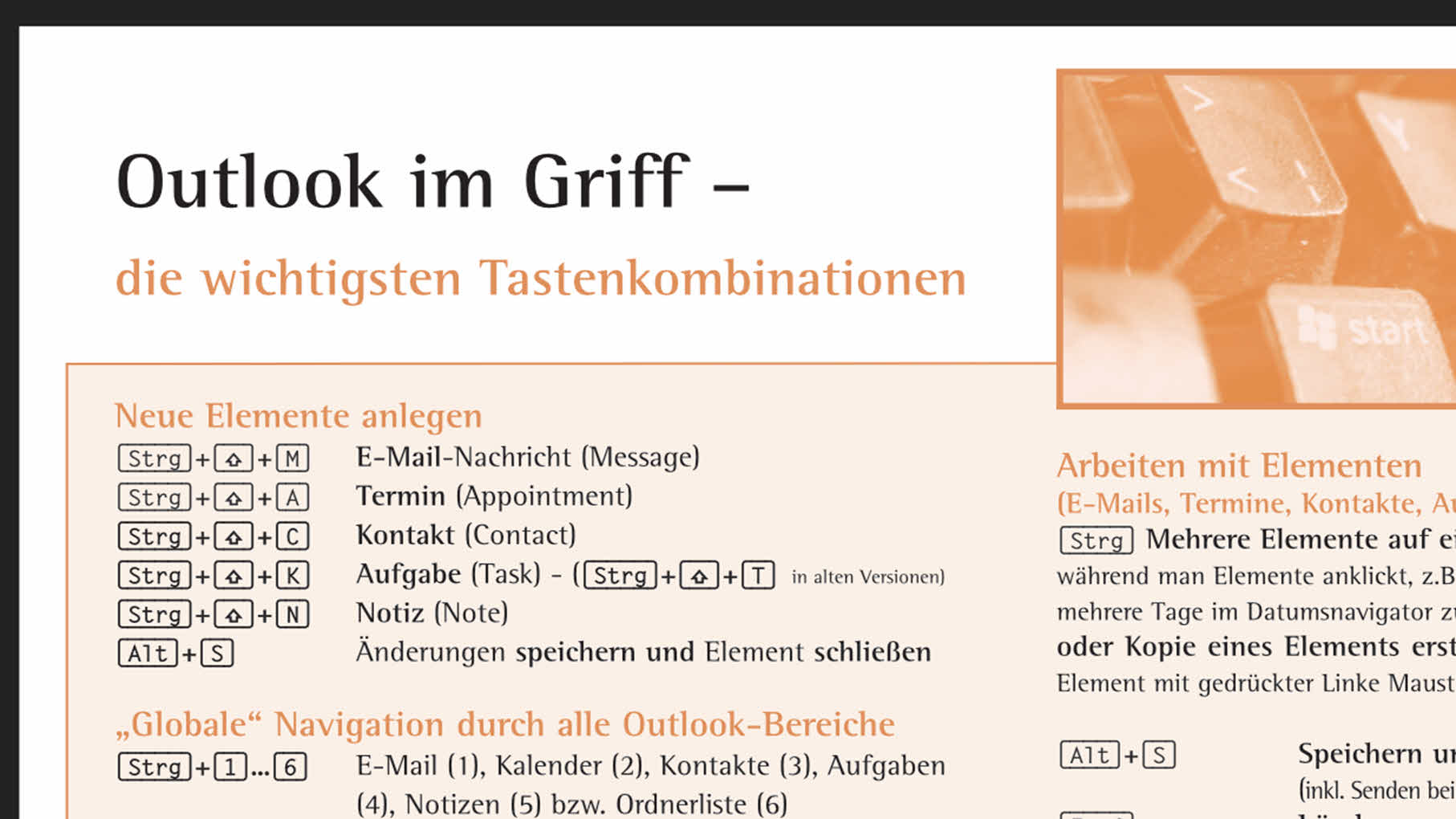
Outlook Key Poster

Portrait photo of Office 365 expert Holger Wöltje - in a suit, with glasses and beard.

Holger Wöltje

Expert for productive digital working

Outlook Keyboard Shortcuts for Online Seminar Time Management with Office 365
Outlook Keynote for Online Seminar: Time Management with Microsoft Office Outlook
Practical Outlook Shortcuts for You: The most important key combinations for more efficient Outlook operation, always in view.

Table of contents (click to open):

Download your essential Outlook keyboard shortcuts poster here

(0.4 MB, layout optimised for printing, to have the poster accessible next to the screen): 

If you have trouble saving or opening the file directly, Please right-click on the blue underlined link (above) and select »Save target as...« from the context menu.«. This will allow you to copy the file to your hard drive and open it from there in Adobe Reader. 

  • Holger Wöltje is an expert in Microsoft Office 365 and video courses for businesses.

    Holger Wöltje is an expert in productive work with Microsoft Office 365, a consultant, and a bestselling author. He has conducted over 1,800 seminars for more than 200 clients in 11 countries and written 7 specialist books, including for Microsoft Press and O'Reilly. His Office video courses have won the Comenius EduMedia Award for 5 consecutive years.

Holger Wöltje, the digital productivity expert, will show your employees how to better use Outlook, OneNote and SharePoint, share files in a structured manner, and get rid of email clutter.

More about Video Courses, and Online-Seminars with Holger: please visit the Home page:
Online seminars & video courses

Share / Recommend via:

Scroll to Top

Share/recommend this page - please select how/where:

e-mail
Print
LinkedIn
XING


Click on the button for LinkedIn, Xing or Teams to follow a link to the respective provider, This opens the Website of the respective provider in a new tab/window and receives the address of this website as a parameter. Sharing by email opens a new email in your default email programme (e.g. Outlook).