
simple. more productive. digital - with Outlook, OneNote, Office 365 and SharePoint

Create, sort and group tasks in Outlook

Holger Wöltje, an expert in Outlook, SharePoint, and Microsoft Office 365, produces video courses for companies.

Holger Wöltje

Expert for productive digital working

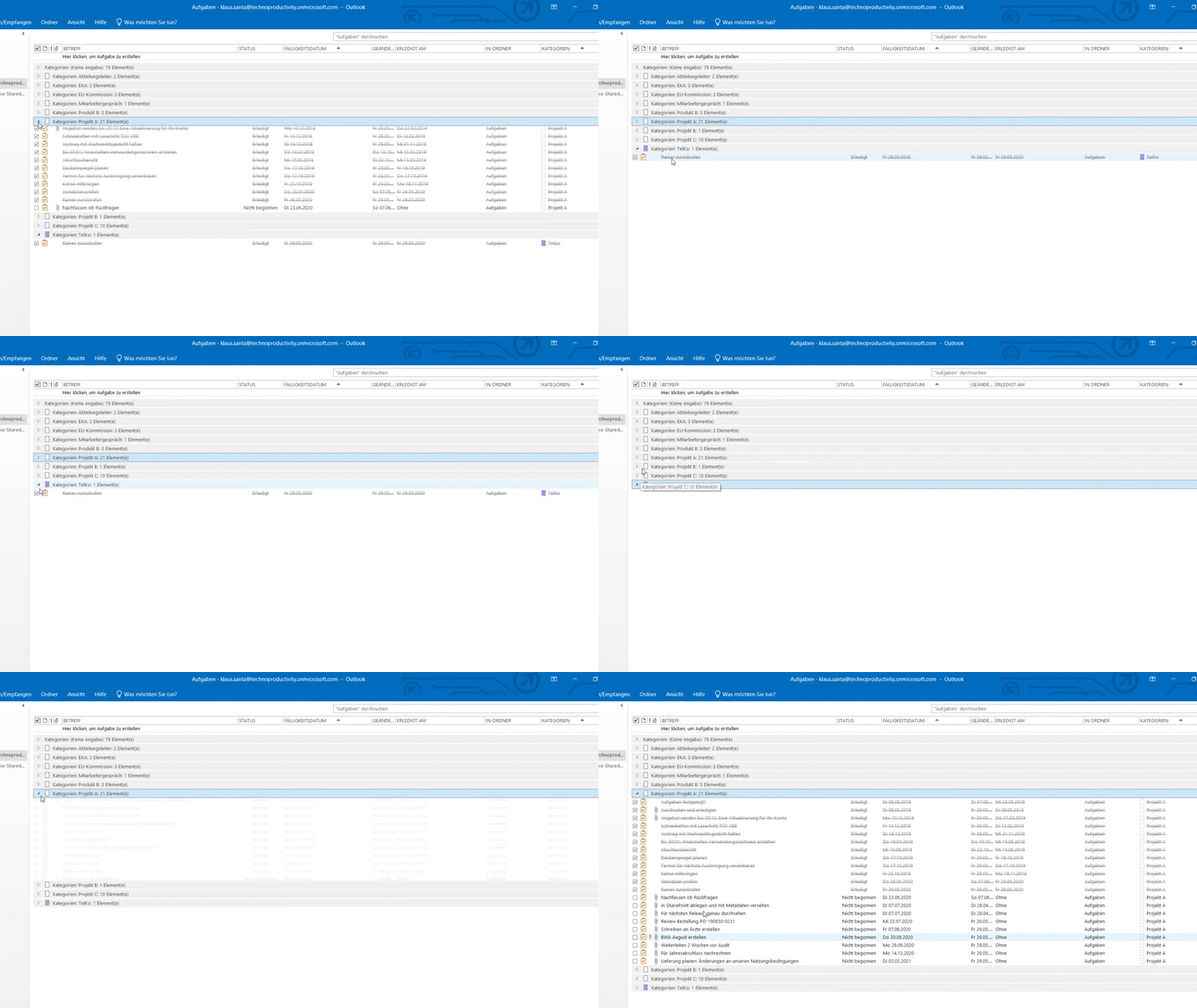
Screenshot from the e-learning course: Outlook tasks categorised and grouped - the category „Project A“ is expanded and all associated tasks can be seen, while the list with the other groups is reduced.
Improve your Outlook time management with tasks - tips from the online seminar
How to use the Outlook task function - how to create tasks in Outlook, group them by project and display them in the calendar.

Table of contents (click to open):

Create, sort and group tasks by project in Outlook

Under your calendar or as Grouped according to projectse List view - Microsoft Outlook offers you various possibilities to Tasks to organise and create a simple structure for your working day. Whether your to-do list has just 11 or 823 entries, with the right functions for Filters, groupings and individual settings customise your task views clear for themselves, keep focus on the essentials and work more efficiently. In the following three videos you will learn how to:

  • in Outlook Create tasks,
  • under your calendar,
  • sort
  • by project Group - and
  • Tips and tricks, that will help you plan your Simplify Outlook tasks.

Manage tasks in the Outlook calendar and show them on the due date

An even more detailed video course, which also gives you tips on the Email management with Outlook, tips & tricks for the calendar and above all in combination of all these elements e-mail resubmission with tasks and the combination of tasks and calendar for weekly planning can be found here:
To the detailed, free video course „Time management with Outlook“


Simple to-do lists, customise task list view, change fields

Group Outlook tasks by project, ToDo list for this week, display calendar weeks

  • Holger Wöltje is an expert in Microsoft Office 365 and video courses for businesses.

    Holger Wöltje is an expert in productive work with Microsoft Office 365, a consultant, and a bestselling author. He has conducted over 1,800 seminars for more than 200 clients in 11 countries and written 7 specialist books, including for Microsoft Press and O'Reilly. His Office video courses have won the Comenius EduMedia Award for 5 consecutive years.

Holger Wöltje, the digital productivity expert, will show your employees how to better use Outlook, OneNote and SharePoint, share files in a structured manner, and get rid of email clutter.

More about Video Courses, and Online-Seminars with Holger: please visit the Home page:
Online seminars & video courses

Share / Recommend via:

Scroll to Top

Share/recommend this page - please select how/where:

e-mail
Print
LinkedIn
XING


Click on the button for LinkedIn, Xing or Teams to follow a link to the respective provider, This opens the Website of the respective provider in a new tab/window and receives the address of this website as a parameter. Sharing by email opens a new email in your default email programme (e.g. Outlook).