
Harnessing technology for productivity

Excel, Word & PowerPoint

Holger Wöltje, an expert in Outlook, SharePoint, and Microsoft Office 365, produces video courses for companies.

Holger Wöltje

Expert for productive digital working

Tips for Excel, Word and PowerPoint from the Office video courses

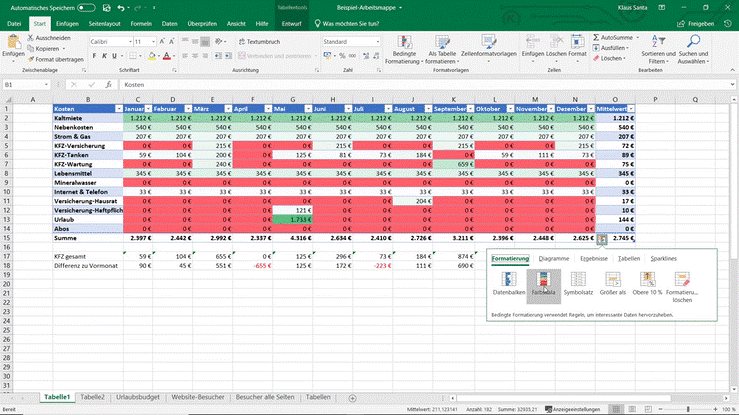
Excel spreadsheet with coloured cells, the conditional formatting menu – perfect for getting started with Microsoft Office 365

Excel Course Bundle for Microsoft Office 365 and 2024

Three compact courses covering everything from entry-level to Pivot Tables, Power Query, and referencing. Your employees will learn to clean filter, import, and evaluate data instead of manually sorting and typing values – practically applicable and ready to use immediately. Available on the platform or as a SCORM package for your LMS.

Excerpt from PDF poster with shortcuts: „Insert special characters in Word“ area - various Word key combinations and their effects.

Shortcuts/key combinations for Word and browser

Constantly reaching for the mouse when typing is a real pain. If you then have to trudge through menu paths or search for buttons, you may have forgotten that great phrase you just wanted to write down... Keyboard shortcuts save you those crucial seconds in moments like these.

Scroll to Top

Share/recommend this page - please select how/where:

e-mail
Print
LinkedIn
XING


Click on the button for LinkedIn, Xing or Teams to follow a link to the respective provider, This opens the Website of the respective provider in a new tab/window and receives the address of this website as a parameter. Sharing by email opens a new email in your default email programme (e.g. Outlook).