


Seminar Details:
Page contents:
- discover, was everything is in OneNote, how to use it Replace paper notes and all notes with Yours Colleagues shared have access to simultaneously
- learn how to handle OneNote for one effective digital Information management: Simple, clear, always quick to access as well fully integrated into Microsoft Office, Teams & SharePoint
- Learn how to make thematic notes with detailed important information, Planning, Designs, Protocols and Checklists systematic create, so that you also Years later everything to find again and Follow-up activities Keep an eye on
- Learn how to single Transfer tasks to Outlook, integrate it into the calendar, call up the entire plan for it with one click and Completion from Outlook automatically synchronised in OneNote log
- receive the most important Professional tips + tricks to OneNote – from the original OneNote expert who for you the Practical experience from over 300 OneNote seminars and who has been managing international book projects, video courses, and his entire company with OneNote for over 18 years -
Manage your notes digitally, clearly, and shared as a team.
Digital notes have been a part of Microsoft Office in the form of „OneNote“ since 2003. Many Office users have not yet discovered and used it due to the multitude of tools – yet it is the perfect supplement for detailed notes, idea collections, minutes, research, and planning. Learn how to finally manage important information (e.g., checklists, schedules, technical data, project plans, ideas, presentation drafts) clearly electronically with OneNote, always finding it immediately and having it at your fingertips.
Since OneNote is fully integrated into Microsoft Office, it provides you with a planning layer above Outlook. You can directly transfer follow-up tasks (e.g., for phone calls or project steps) to Outlook and have a detailed layer „behind“ Outlook (e.g., comprehensive meeting minutes that you can open directly from the corresponding Outlook appointment). Via SharePoint/Teams, you can share OneNote notebooks with your colleagues, so everyone has the latest version in front of them at all times and can add to/edit it together – in the office, at home, at other locations, and even on the go.
Duration, number of people & dates
Maximum 10 people
to address individually Your priorities and questions
Duration:
1 day, carried out as 2 Half-day workshops,
e.g. Mon. + Wed. 13:30 – 17:00
Next open seminar date: Mon, 10/02/2022
Details of open seminar and further dates
You can attend an open seminar as an individual
Request within the company: Tailored specifically for you
As an online seminar for your company – with your requirements adapted content & duration (e.g. only half as long for advanced users or with an additional half-day for combining with another topic) at your Your preferred date. Register for your individual consultation.
Rely on quality and experience -
Your Expert: Holger Wöltje
- better manage their emails, tasks, and appointments, - use Microsoft Office 365 to communicate and share files more efficiently and - work better together. Holger started his own consulting business in 2002. He holds a B.Sc. in engineering degree (and also a German “Diplom-Ingenieur (BA)” degree) and has authored seven books with more than 500,000 copies sold.
Working internationally with many Fortune Global 500 companies like Credit Suisse, Ford, GE, Hewlett-Packard, Johnson & Johnson, Lufthansa, and Microsoft, he has learned what works. Call now to book Holger for a business consulting session (virtual online meeting) and gain more time for what matters most to you!
Call us right away:
Holger Wöltje
produces
Available to you as:
Seminar content
We'll adapt the seminar content to your specific needs!
Lesson 1
What is OneNote and how do you use it in a structured way?
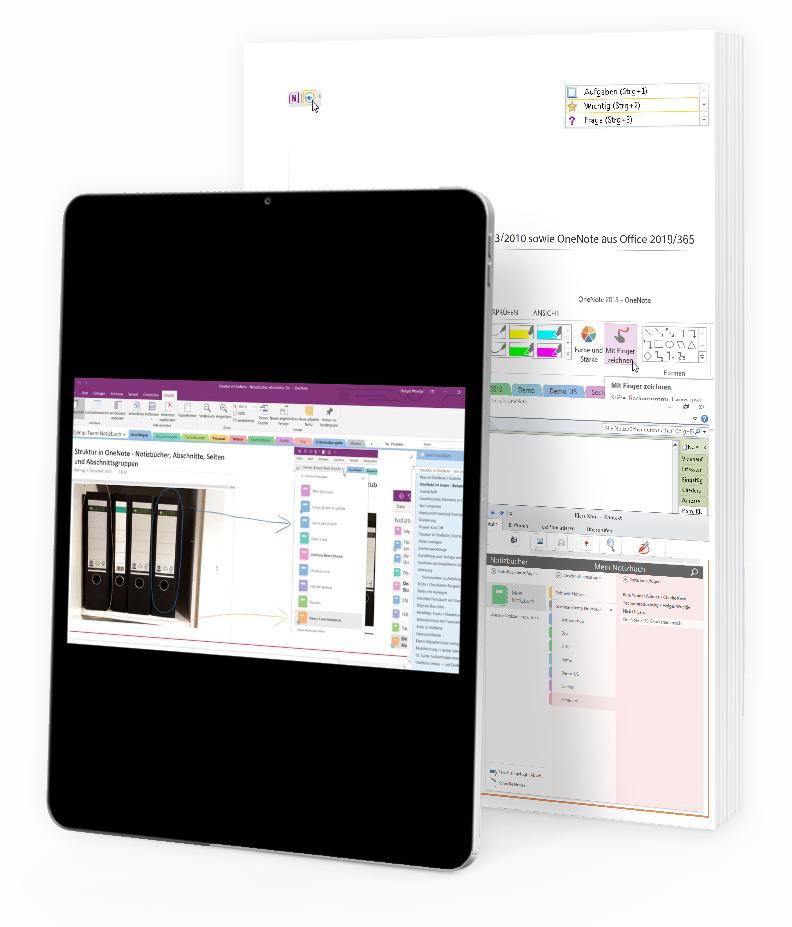
- The structure of OneNote: Notebooks, Sections, Groups, Pages
- This is how you can clearly divide your notes into projects, ideas, conversation notes, meeting minutes, etc.
- This is how you save and back up your notes, find entries thematically or chronologically, and open them quickly with one to four clicks.
Lessons 2
Basic functions: Create and format notes
- Container, text input, free placement with paragraph handles
- Page navigation, insert free space, format text
- Insert images, highlighter, highlight sections in graphics, drawing tools, comment on document drafts
Lessons 3
Working together: Outlook + OneNote - Filing emails, keeping track of follow-up activities
- Working together: Outlook and OneNote for your planning
- Save emails from Outlook to OneNote, send notes by email
- Creating Outlook tasks from OneNote + synchronising completion status, e.g. for project planning and meeting minutes
Lessons 4
Pro Tips for the Advanced User: Perfectly Organised with OneNote
- Categories/Note Identifiers, Templates and Summary Pages: Effective Use and Customisation
- Targeted links to paragraphs, checking the up-to-dateness of individual text sections, tracking/reversing recent changes.
- Search and exhaust search options: Narrow down areas, highlight matches, text recognition in images, search result lists
Lesson 5
OneNote in a Team: Share and Edit Notes Together
- Share notes with colleagues in the team
- Edit notes collaboratively, avoid conflicts, view new changes made by colleagues
- Show author view, display editor + date for last change of a specific line
Lesson 6
Finding notes with good structure + search function
- Good structure for your notes: find instead of search!
- Search: Narrow down to areas, text recognition in images, changes in the last few days; page versions/change history
- This is how you'll find everything again years later: good keywords and page titles to find information lightning-fast when it matters.
Your cool documents
Internal company inquiries
Tailored to you: agenda, duration, catering, espresso type, etc.
Your individual in-company seminar
As a live online seminar or as an in-person event at your premises
Places – from Aachen via Bern, Campo di Trens, Dordrecht, Essen, Frankfurt, Graz, Hamburg, Munich, New York, Singapore, Shanghai, Sydney and Vienna to Zurich for you as an in-house or online seminar.
Not just a seminar – a well-considered process for your employees to optimally process content, for the sustainable optimisation of their working methods:
Mezza giornata di workshop
Lorem ipsum dolor sit amet, consectetur adipiscing elit. Ut elit tellus, luctus nec.
2. Time to think
Lorem ipsum dolor sit amet, consectetur adipiscing elit. Ut elit tellus, luctus nec.
3. Half-day workshop
Lorem ipsum dolor sit amet, consectetur adipiscing elit. Ut elit tellus, luctus nec.
4. Video course + PDF
Lorem ipsum dolor sit amet, consectetur adipiscing elit. Ut elit tellus, luctus nec.
5. Implementation
Lorem ipsum dolor sit amet, consectetur adipiscing elit. Ut elit tellus, luctus nec.
6. E-mail Materials
Lorem ipsum dolor sit amet, consectetur adipiscing elit. Ut elit tellus, luctus nec.
7. Follow-up Workshop
Lorem ipsum dolor sit amet, consectetur adipiscing elit. Ut elit tellus, luctus nec.
Praesent commodo cursus magna, vel scelerisque nisl consectetur et.
Donec id elit non mi porta gravida at eget metus. Cum sociis natoque penatibus et magnis dis parturient montes, nascetur ridiculus mus. Donec sed odio dui. Nullam id dolor id nibh ultricies vehicula ut id elit. Aenean lacinia bibendum nulla sed consectetur. Fusce dapibus, tellus ac cursus commodo, tortor mauris condimentum nibh, ut fermentum massa justo sit amet risus.
- Donec id elit non mi porta gravida at eget metus.
- Cum sociis natoque penatibus et magnis dis parturient montes, nascetur ridiculus mus.
- Donec sed odio dui. Nullam id dolor id nibh ultricies vehicula ut id elit.
- Aenean lacinia bibendum nulla sed consectetur.
- The cat sat on the mat.
Tips & Tricks for OneNote
A smooth, rounded block of stone is put to use as an entranceway. The entranceway is made of a hard, black, polished stone. A smooth, rounded block of stone is put to use as an entranceway. A smooth, rounded block of stone is put to use as an entranceway.

Excel Course Bundle for Microsoft Office 365 and 2024
Excel Video Courses for Businesses: 3 courses from basics to PivotTables – flexible, practical, and immediately applicable for your employees (as SCORM for your LMS).

How to add construction site calendars to your SharePoint site
Learn how to add construction site calendars to your SharePoint page. This feature allows you to,

AI in Office 365 - how to use Copilot for Microsoft 365 to work more productively
Copilot for Microsoft 365: a blessing or a curse?

Dictation in Outlook, OneNote and Microsoft Word
Dictation in Office 365: How to write emails, documents and notes simply by voice input in Outlook, Word and OneNote.
Further topics:
Support your employees in working more productively digitally, understanding key processes securely, and utilising the full potential of the software – register now
"*" indicates required fields